
What Data Does Sticky Header Effects for Elementor Share With Us?
Sticky Header Effects for Elementor can share some non-sensitive, technical information with POSIMYTH to help us catch conflicts and fix bugs faster. This is completely optional. Nothing is shared until you turn it on, from the Settings toggle or the notice inside your dashboard. The one exception is submitting the deactivation survey, which shares data as its own explicit action whether or not the toggle is on. See “If You Deactivate and Tell Us Why” below.
Is This On By Default?
No. Sharing is off until you take an explicit action to turn it on.
How Do I Turn It On or Off?
There are two ways to turn sharing on.
- A few days after you activate Sticky Header Effects for Elementor, you will see a dashboard notice asking whether you want to help improve the plugin this way. Click Allow to turn it on, or Dismiss to skip it for now. Dismiss only snoozes the notice, it comes back later unless you decide from Settings instead.
- You can turn it on or off at any time from Sticky Header Effects → Extra Options → Settings. Toggle Share Non-Sensitive Details on or off and the change takes effect immediately, no save button needed.
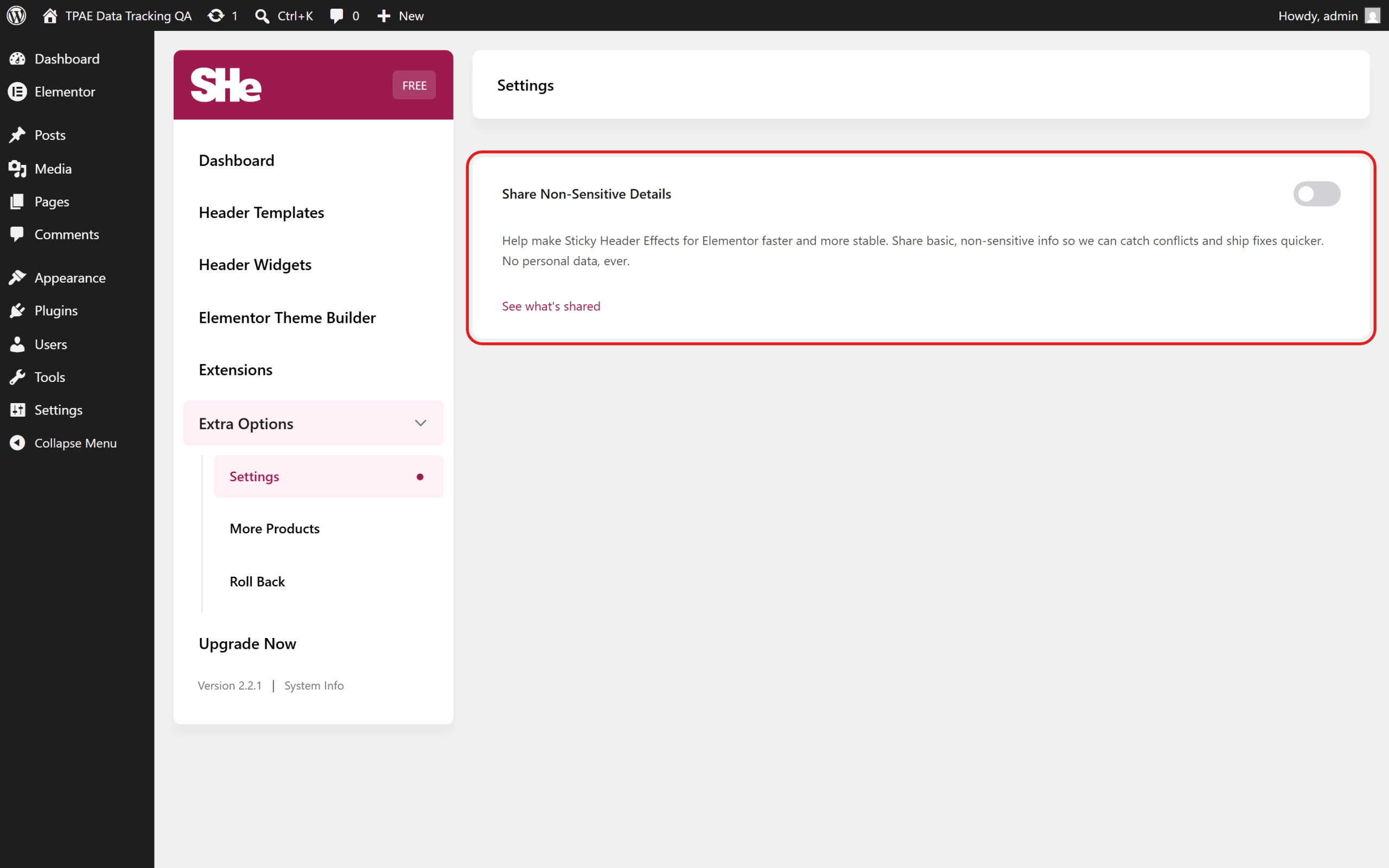
Turning it off stops all future sharing right away.
What Exactly Gets Sent?
When sharing is on, here is the complete list. This is every field the plugin sends, not a partial one.
About Your Site Setup
WordPress version, PHP version, MySQL version, your web server type, timezone, whether debug mode is on, memory limit, max upload size, your permalink style, whether HTTPS is used, whether this looks like a local or staging environment, your site’s language, whether it is a multisite, and your total user count.
About Your Theme and Elementor Setup
Your active theme name and version, your parent theme if you use one, whether Elementor is active, and the Elementor and Elementor Pro version numbers if installed. Sticky Header Effects only works with Elementor, so if Elementor is not active, this simply reports that rather than guessing at another page builder.
About Your Plugins
The list of active plugin slugs, how many are active, and which other POSIMYTH products are active alongside Sticky Header Effects for Elementor.
About Sticky Header Effects Itself
Its version, whether Pro is active, your license status if you use Pro, whether the setup wizard has been completed, and your install date.
About the Effects You Use
Sticky Header Effects has no widgets of its own. Every effect, such as Shrink Header, Blur Background, Hide on Scroll, or Logo Color Change, is a control you switch on for a section or container in Elementor. This reports how many times each of those effect controls is actually turned on across your published pages, scanned in the background once a week, up to a bounded number of pages, so it never slows down your site. Only a per-effect count is sent, never any page content itself.
Good To Know
What is never sent, under any circumstance: your name, your username, your IP address, cookies, session data, browser fingerprint, license keys, or any content from your posts or pages.
Your email address is never sent either, with one exception: ticking “I agree to be contacted via email” in the deactivation survey, described below. Outside of that one checkbox, no email address ever leaves your site through this feature.
If You Deactivate and Tell Us Why
When you deactivate Sticky Header Effects for Elementor, a quick feedback dialog asks why. The reason you pick, and anything you type in the optional text box, is shared when you press Submit & Deactivate, even if the Share Non-Sensitive Details toggle above is off, because choosing a reason and submitting is its own separate, explicit action. Clicking Skip & Deactivate, pressing Esc, or clicking outside the dialog sends nothing at all.
If you also tick “I agree to be contacted via email for support with this plugin,” your admin email is included too, so we can reply. That box is unticked by default and only affects this one submission.
Does This Include My Site’s Address?
Yes, your site’s web address is included so we know which install a report belongs to.
Where Does This Data Go?
To POSIMYTH’s own server. It is never shared with a third-party analytics service.
This is how Sticky Header Effects for Elementor keeps you informed about what is shared, so you are always in control of what leaves your site.

Still stuck?
Ask in the community — real answers from the team and other builders.