
How to Change Your POSIMYTH Store Account Email?
Circumstances change – you may have lost access to your email or simply no longer use it. If you need to update the email on your POSIMYTH Store account (the account you use to manage Sticky Header Effects for Elementor Pro), you can do it in just a few clicks.
How to Change Your Account Email
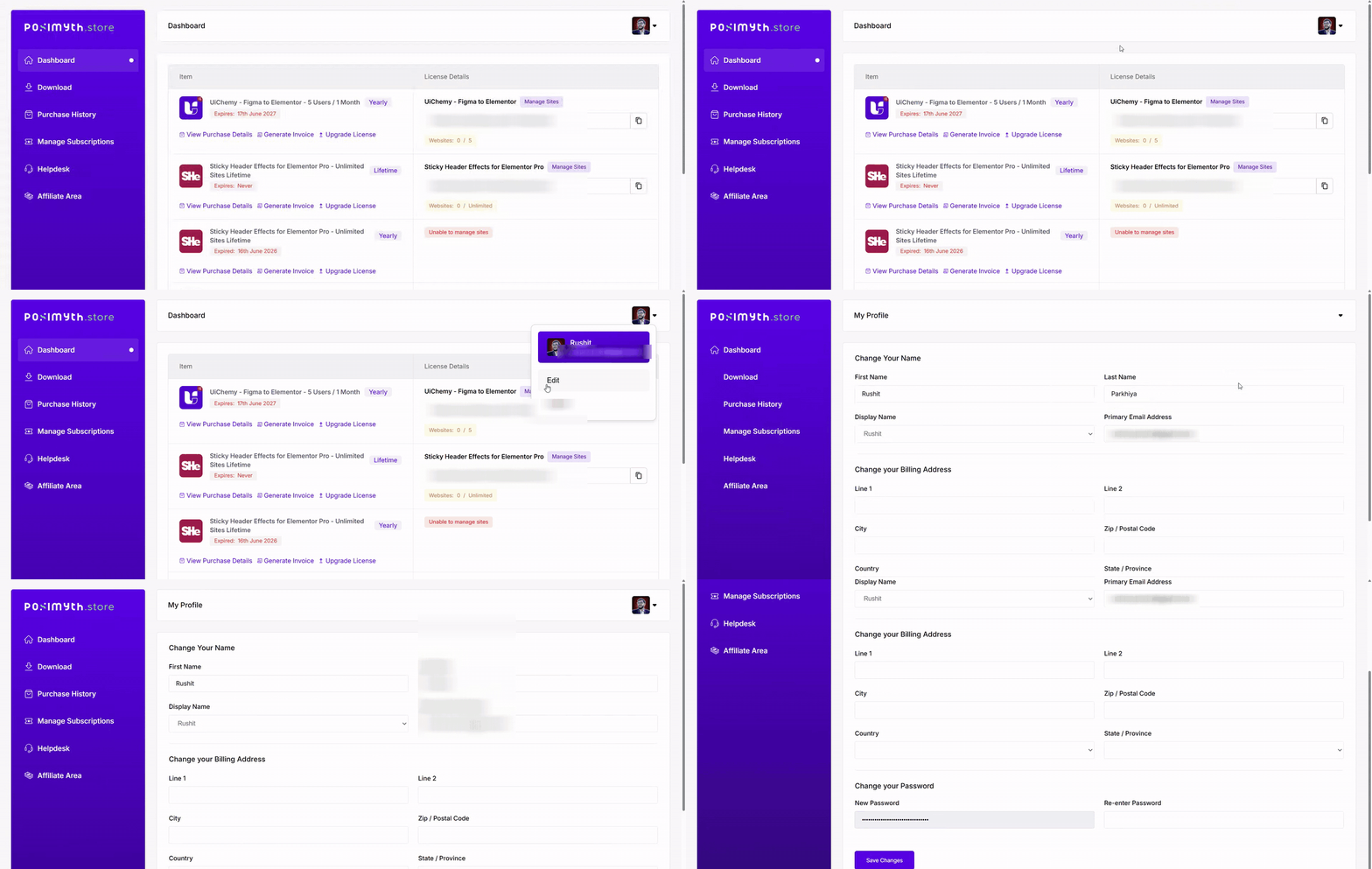
1. Visit the POSIMYTH Store and log in using the same login details you used during checkout.
2. Click your profile picture at the top right and choose Edit from the dropdown.
3. On the edit profile page, find the Primary Email Address field and enter your new email ID.
4. Click Save Changes. Your account email is now updated.
If you run into any issues while updating your email, or have any other questions, feel free to reach out to our support team.

Still stuck?
Ask in the community — real answers from the team and other builders.