
How to Generate an Invoice for Sticky Header Effects for Elementor Pro?
Need an invoice for your Sticky Header Effects for Elementor Pro purchase? You can generate and download one anytime directly from your POSIMYTH Store account. Just follow the steps below.
How to Generate Your Invoice
1. Go to the POSIMYTH Store and log in using the credentials you used at checkout.
2. From your Dashboard, select the Generate Invoice option.
3. Enter your billing details on the next page, then click Save Billing Details & Generate Invoice to create and download your invoice.
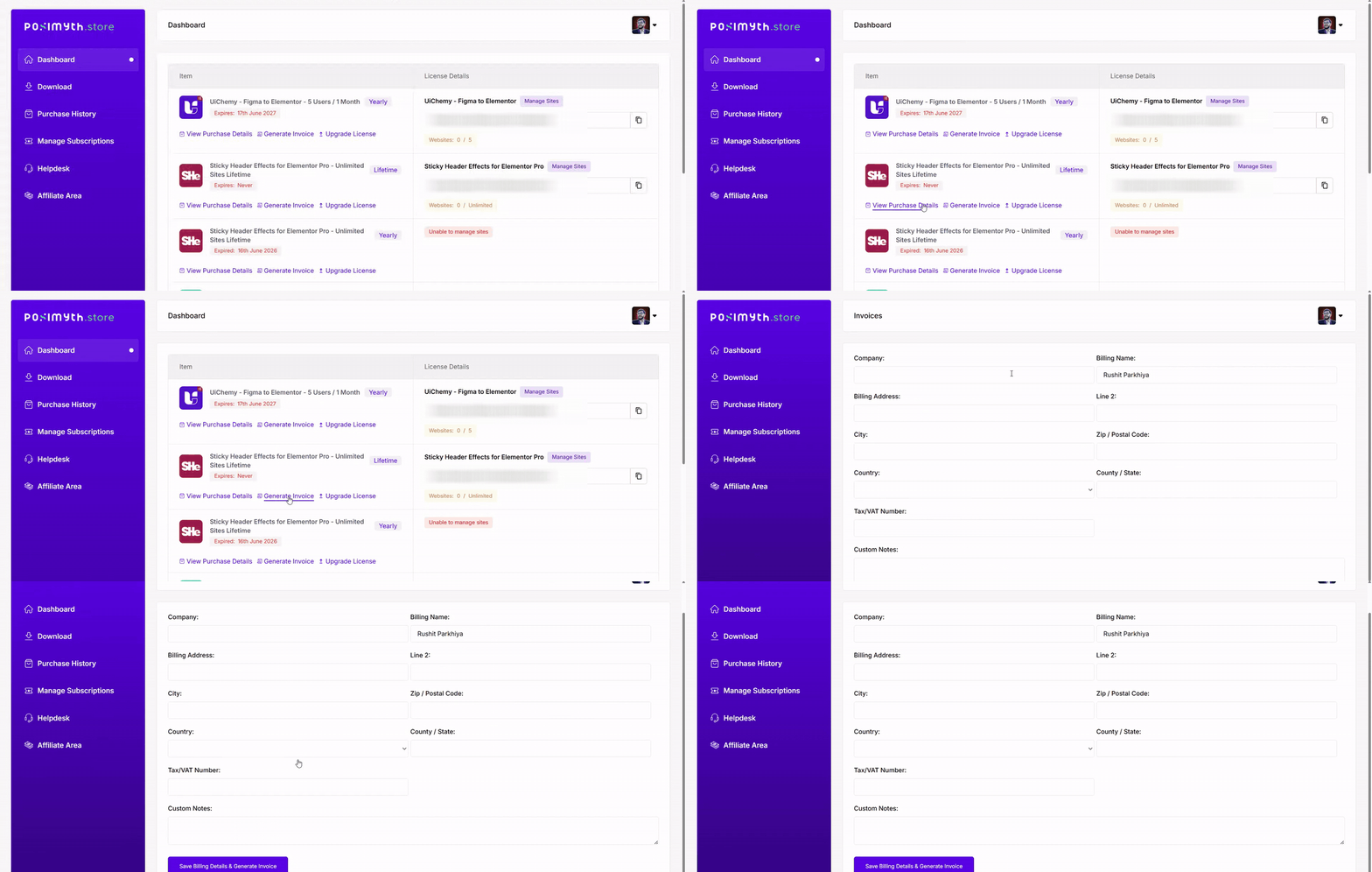
Your invoice is available to download immediately after submission, and your billing details are saved for future reference. If you run into any trouble generating your invoice, feel free to reach out to our support team.

Still stuck?
Ask in the community — real answers from the team and other builders.