
Logo Color Change on Scroll: Fixing the #1 Support Ticket
“I can only change the background color, not the text color.” That line, from a real support ticket about an Elementor sticky header, describes the single most common confusion around the Logo Color Change effect. This walks through why it happens and the exact setting that fixes it.
This elementor sticky header change menu color setting is exactly what ticket 19575 above was missing: a value entered under the sticky-state tab, not the normal one. MDN’s CSS colors guide covers how color values work at the specification level.
Key Takeaways
- Logo Color Change and Dynamic Background Color Change are two separate free effects in Sticky Header Effects for Elementor. Turning on the background effect never automatically changes logo or text color.
- Two real, closed support tickets (19575 and 19702) both describe the same root confusion: a background color changes on scroll, but the logo or menu color the visitor actually expected to change does not.
- The fix is a separate control, set explicitly under the Logo Color Change effect’s own sticky-state color field, not a checkbox inside the background effect.
- Both effects are free, work on Elementor Free or Pro, and are two of the plugin’s 10 free effects out of 21 total.
- A related, different bug (effects conflicting rather than one being unset) is covered separately; this post is specifically about a color not being set, not one effect disabling another.
The Ticket, in the Customer’s Own Words
Support ticket 19575, titled “How to change the navigation color?” and closed January 21, 2026, describes it plainly: “it seems unable to change the text color after scrolling. For example, my navigation has a transparent background and white text. I need to set a white background with black text after scrolling, but I found that I can only change the background color, not the text color.”
Ticket 19702, “color of sticky header,” closed December 13, 2025, describes a related but distinct version of the same confusion: “My sticky header is working, but it’s applying the wrong background color. The sticky behavior is fine, the issue is just that the color being applied when it becomes sticky isn’t the one I set.”
Both tickets involve a color not matching expectations once the header goes sticky. Neither is a bug in the plugin; both come from the same structural fact about how the effects are organized.
Why the Two Effects Are Separate in the First Place
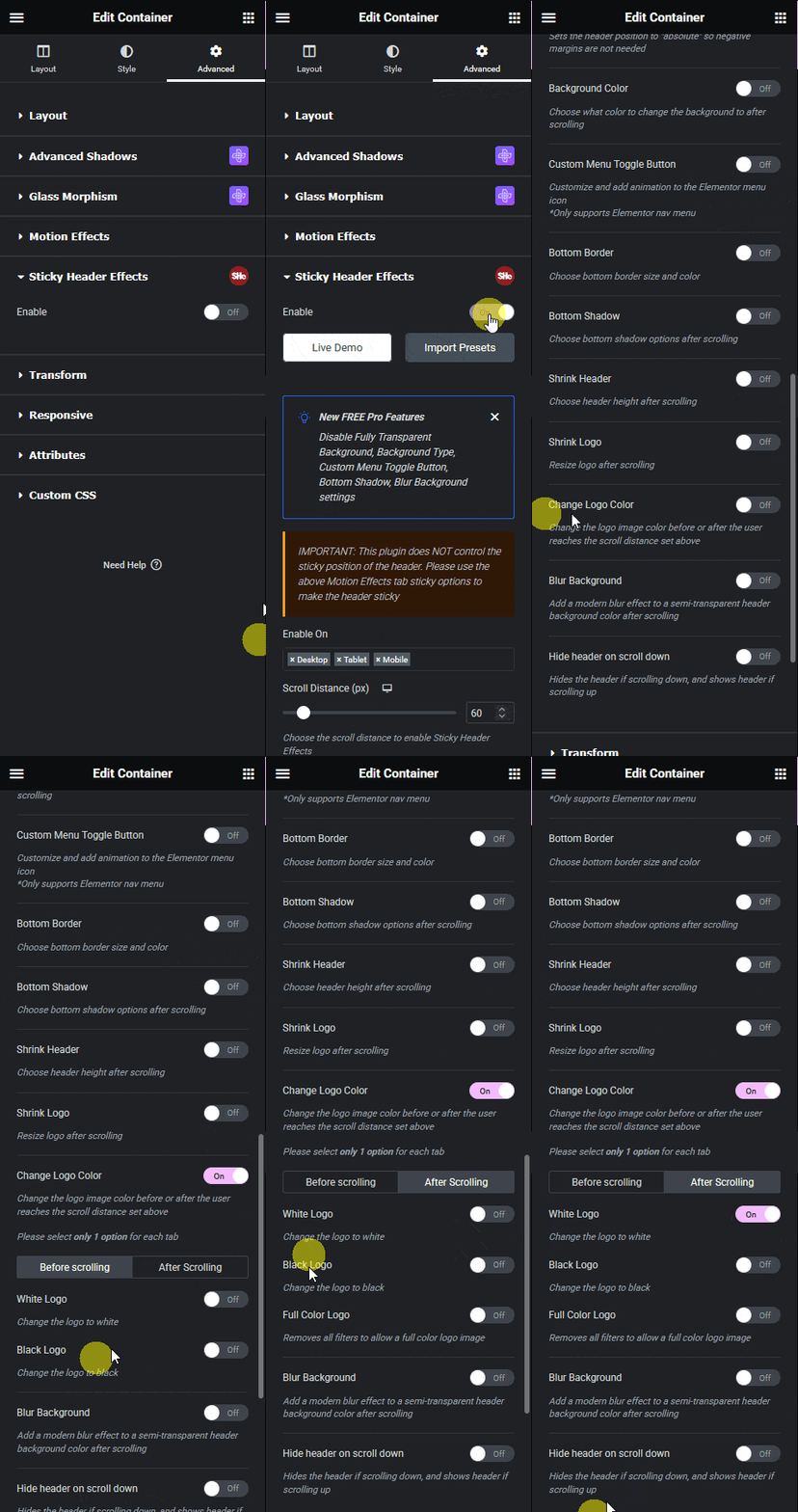
Dynamic Background Color Change controls the header’s own background: the panel behind the logo and menu. Logo Color Change controls the logo and the navigation text color independently. They target different elements, so Elementor treats them as separate effects with separate settings, each with its own toggle in the Advanced tab.
This is deliberate, not an oversight. A header with a dark logo on a light background before scroll might need a light logo on a dark background after scroll, or it might need the same logo color throughout with only the background shifting. Splitting the two controls makes both cases possible without one setting fighting the other.
The cost of that flexibility is exactly what both tickets ran into: turning on one effect and expecting the other element’s color to follow along for free.
Setting the Logo Color Explicitly
Select the header section or container, open the Advanced tab, and find Logo Color Change in the Sticky Header Effects control group. Enable it, then set a specific color for the sticky state, separate from whatever color the logo or menu uses before scroll.
This is the exact step ticket 19575 was missing: the customer had Dynamic Background Color Change configured correctly, but had not set a corresponding sticky-state value under Logo Color Change, so the text stayed at its normal, pre-scroll color against a new background it no longer matched.
Fixing Ticket 19702’s Version: the Wrong Color, Not a Missing One
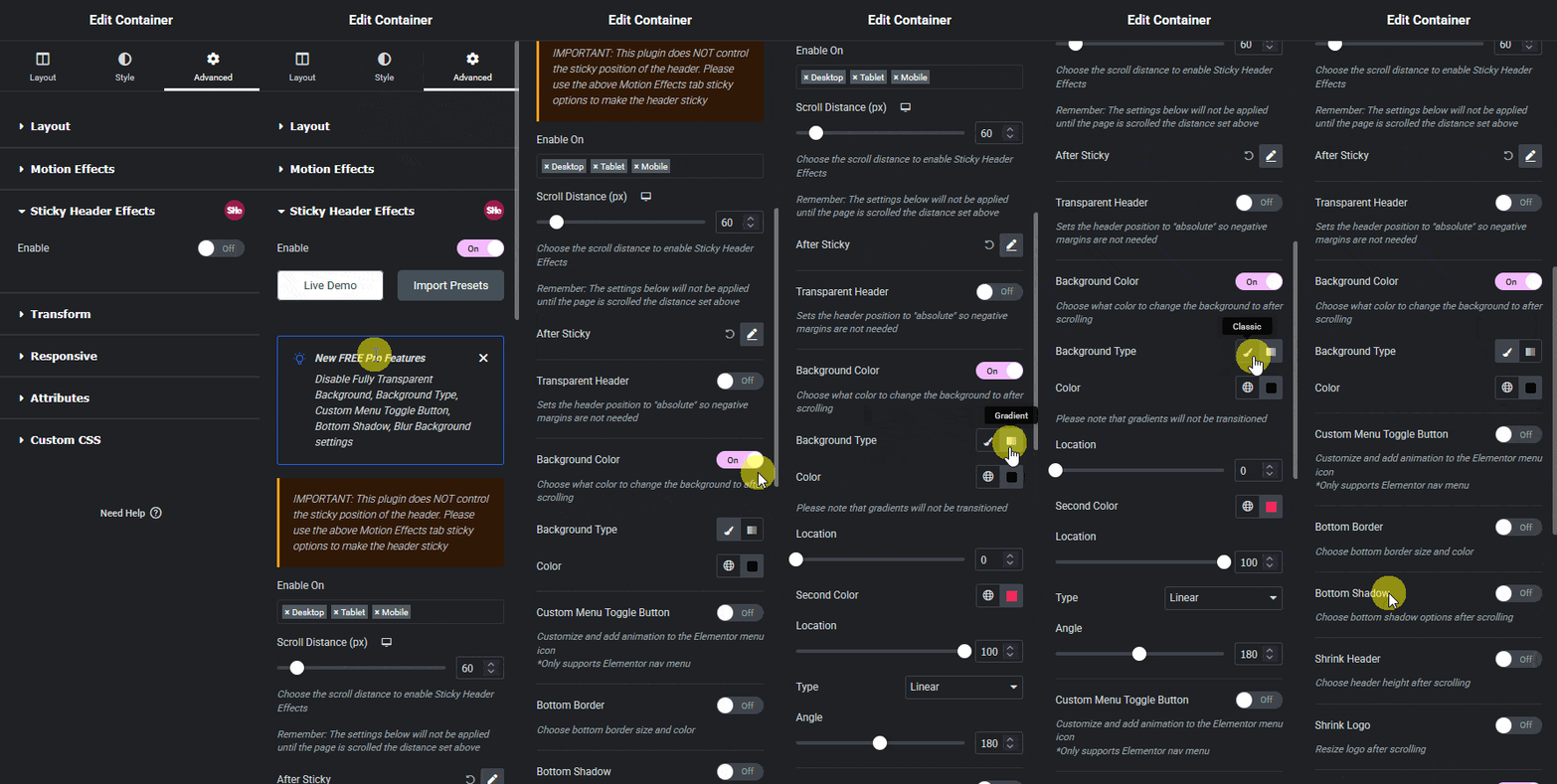
Ticket 19702 is a variant worth naming separately: a color is being applied on scroll, just the wrong one. This usually means a value was set under the Normal (pre-scroll) tab and mistaken for the sticky-state tab, or an older value was left in the sticky field before a design change and never updated.
Elementor’s control panels typically separate Normal and Sticky (or hover-equivalent) states as tabs within the same field group. Confirm which tab is active before typing a new color value, since editing the wrong tab changes a state the visitor never sees while scrolled.
When It Looks Like Two Effects Are Fighting Each Other
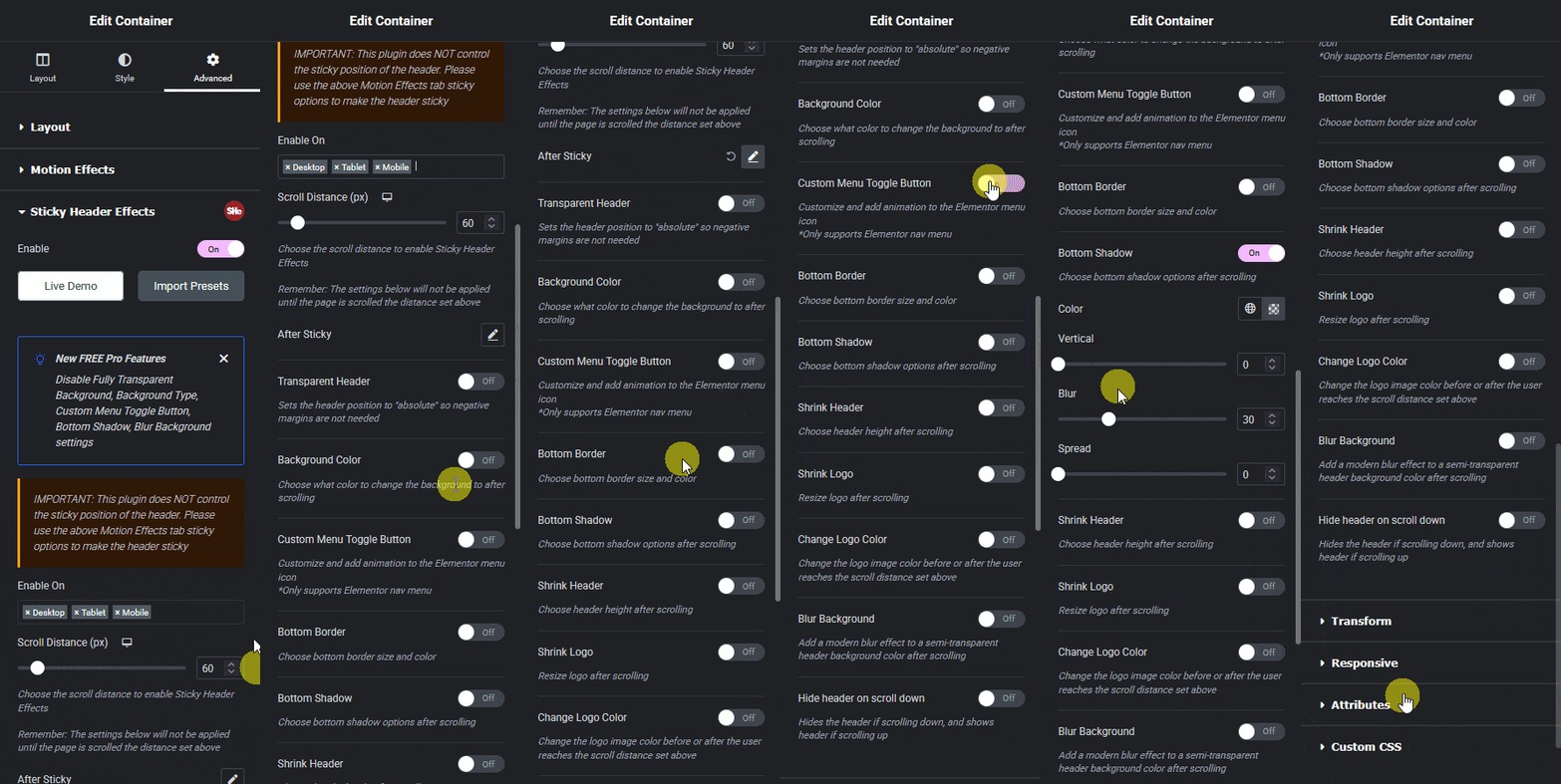
A different, related pattern shows up in a separate closed ticket: enabling a background-color effect alongside a logo-swap effect on the same header can cause one of the two to stop applying, because both are targeting overlapping elements at once. That is a genuine interaction issue, not a missing setting, and is covered in a dedicated post on effects that cancel each other out.
The distinction matters when troubleshooting: if a color is simply absent or wrong, the fix is almost always the explicit sticky-state field described above. If a color was working and stopped the moment a second effect was enabled, that is the interaction case instead.
Why This Pattern Keeps Showing Up in Support
Both tickets quoted above were filed months apart, by different customers, describing the same underlying assumption: that one visible color change on scroll should mean the whole header’s color scheme updated together. Sticky Header Effects for Elementor’s own support queue shows this exact pattern recurring often enough that it is worth documenting directly rather than answering one ticket at a time.
It is also easy to miss in a support system, since neither ticket used the word “logo” prominently in its title. Ticket 19575 was filed as a question about navigation color, and ticket 19702 as a general question about sticky header color, which is exactly why a text search for the actual symptom matters more than any single keyword when tracking this kind of recurring pattern.
Checking the Fix Before You Publish
After setting both the background and logo colors for the sticky state, scroll the live front end past the trigger distance and check every element that should have changed: background, logo, and menu text, together, not just the one you were focused on.
Check it on mobile separately. Logo Color Change, like every effect in the plugin, can be set independently per device, so a value configured correctly on desktop does not automatically carry over to a tablet or phone breakpoint.
Frequently Asked Questions
Why does only my header background change color on scroll, not my logo? Because Dynamic Background Color Change and Logo Color Change are separate free effects with separate settings. Set a sticky-state color explicitly under Logo Color Change.
Is Logo Color Change a free or Pro effect? Free. It is one of 10 effects available on Elementor Free or Pro, at no cost, on unlimited sites.
I set a sticky color and it still shows the wrong one. What now? Confirm the value was entered under the sticky-state tab, not the normal-state tab, and check whether a second effect is also targeting the same element per the interaction case above.
For full setup steps covering every free and Pro effect, see the Elementor sticky header setup guide. Effect-specific field names are documented on the plugin’s own documentation pages. For how CSS itself handles color and pseudo-state changes on scroll-triggered elements, MDN’s color reference is the primary source. Pricing for the 11 additional Pro effects is on the pricing page.
Want the sticky header without the code?
Sticky Header Effects for Elementor drops in as a widget. Free plugin, no account needed.
