
How to Add a Background Image to Elementor Sticky Header on Scroll?
Do you want a background image to appear on your Elementor header only after it becomes sticky? With the Background Image on Sticky feature, you can add a dedicated sticky-state background image – with full control over its position, size, repeat, and attachment – so your header looks distinct the moment it sticks.
With the Sticky Header Effects for Elementor plugin, you can easily add a background image to your Elementor sticky header on scroll.
To check the complete feature overview documentation of Sticky Header Effects for the Elementor plugin, click here.
Requirement – This feature is a part of Sticky Header Effects for Elementor PRO, so make sure both the Free & Pro plugins are installed & activated.
To do this, add the Elementor Container widget, then design the header content as per your requirements or use a header template and follow the steps –
1. Select the main Container widget of the header, then go to the Advanced > Sticky Header Effects tab and turn on the Enable toggle.
2. Turn on the Background Image on Sticky toggle.
3. Choose the Image you want to show when the header is sticky.
4. Set the Position of the image (default Center Center).
5. Set the Size – Cover (default), Contain, or Auto.
6. Set the Repeat (default No-repeat) and the Attachment (Scroll by default; choose Fixed for a parallax effect on desktop).
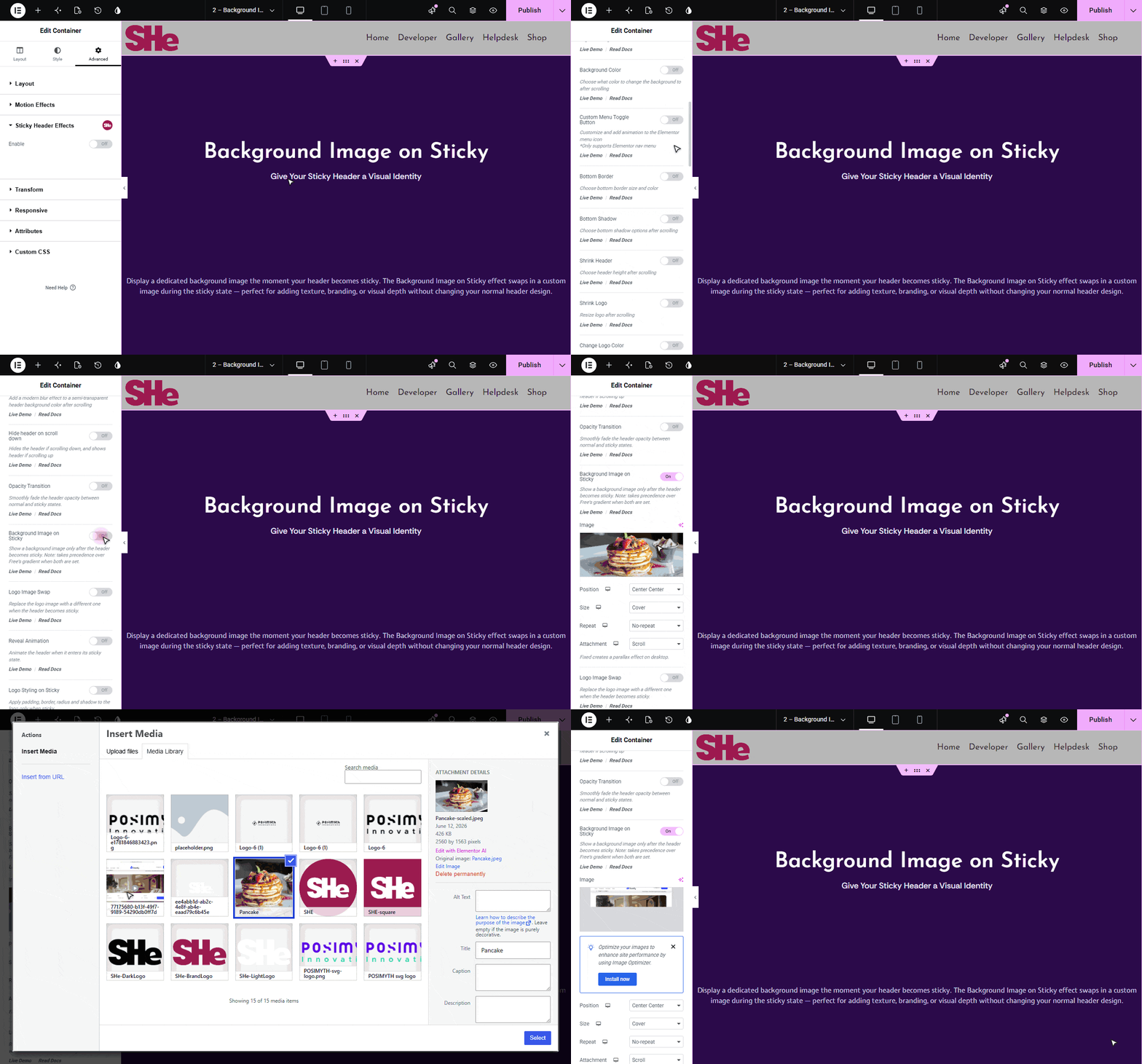
The background image appears only after the header becomes sticky. Note that it overlays on top of any solid Background Color and takes precedence over Free’s gradient when both are set.

More in Background Image on Sticky
Still stuck?
Ask in the community — real answers from the team and other builders.