
How to Stop Elementor Sticky Header at a Specific Point on Scroll?
Do you want your Elementor sticky header to stop sticking after a certain point on the page? With the Sticky Until feature, you can release the sticky behavior once a defined boundary is reached, so the header only stays fixed for the part of the page where you actually need it.
With the Sticky Header Effects for Elementor plugin, you can easily set a stop point for your Elementor sticky header.
To check the complete feature overview documentation of Sticky Header Effects for the Elementor plugin, click here.
Requirement – This feature is a part of Sticky Header Effects for Elementor PRO, so make sure both the Free & Pro plugins are installed & activated.
To do this, add the Elementor Container widget, then design the header content as per your requirements or use a header template and follow the steps –
1. Select the main Container widget of the header, then go to the Advanced > Sticky Header Effects tab and turn on the Enable toggle.
2. Turn on the Sticky Until toggle.
3. Choose a Boundary – the point where the sticky header should be released:
- End of Container – releases at the end of the parent section/container that wraps the header.
- End of Page – keeps the header sticky until the bottom of the page.
- Custom Element – releases when a specific element reaches the viewport. Enter its CSS selector in the Element Selector field (e.g.
#footeror.contact-section). - Scroll Distance (px) – releases once the user has scrolled a set number of pixels from the top. Set the value in the Scroll Distance slider (default 500px).
4. Optionally adjust the Offset (px) to fine-tune the release point – a positive value pushes it later, a negative value pulls it earlier (range -500 to 500).
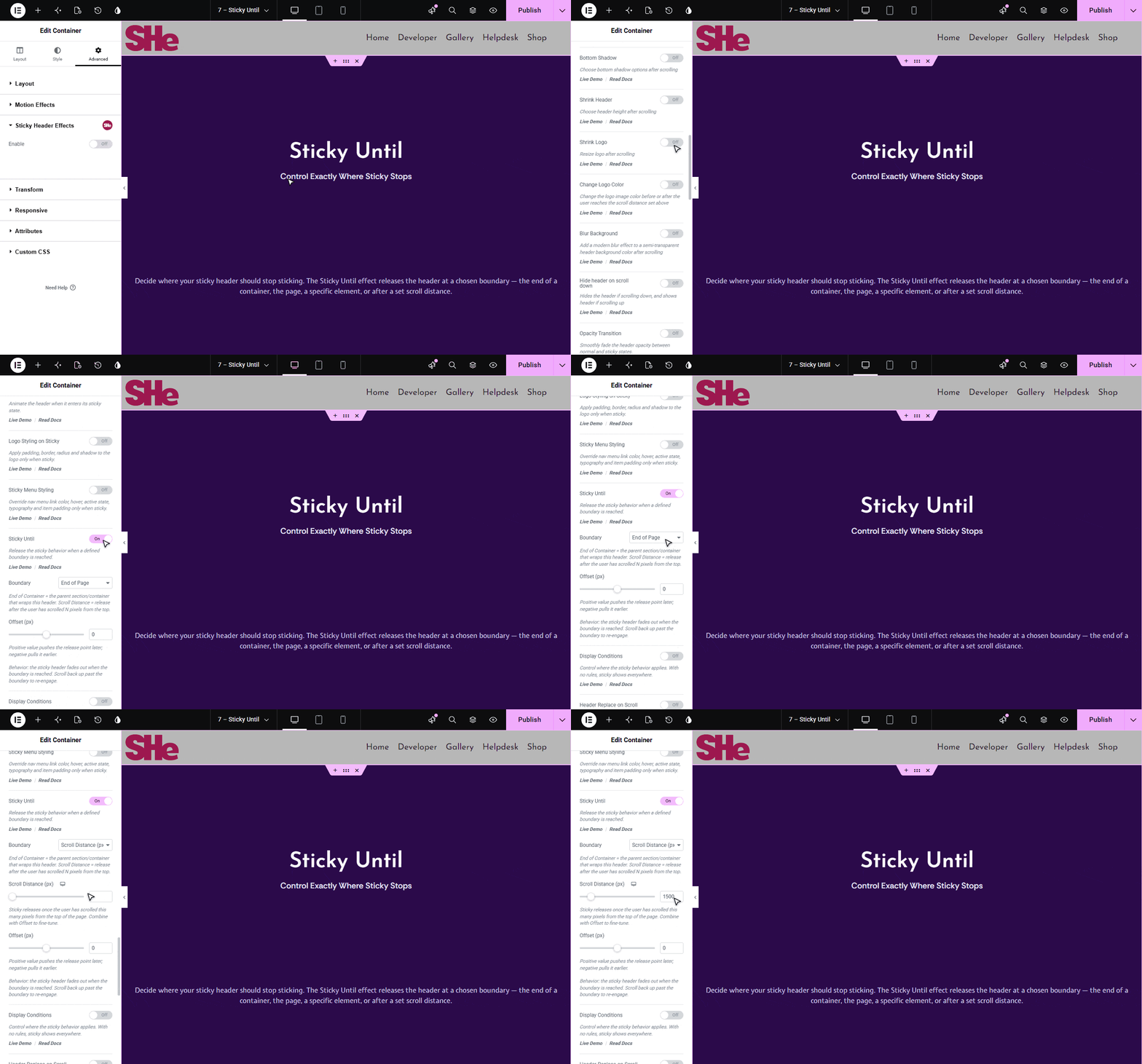
When the boundary is reached, the sticky header smoothly fades out. Scrolling back up past the boundary re-engages the sticky behavior automatically.

More in Sticky Header Effects
Still stuck?
Ask in the community — real answers from the team and other builders.